Documents arrive everywhere
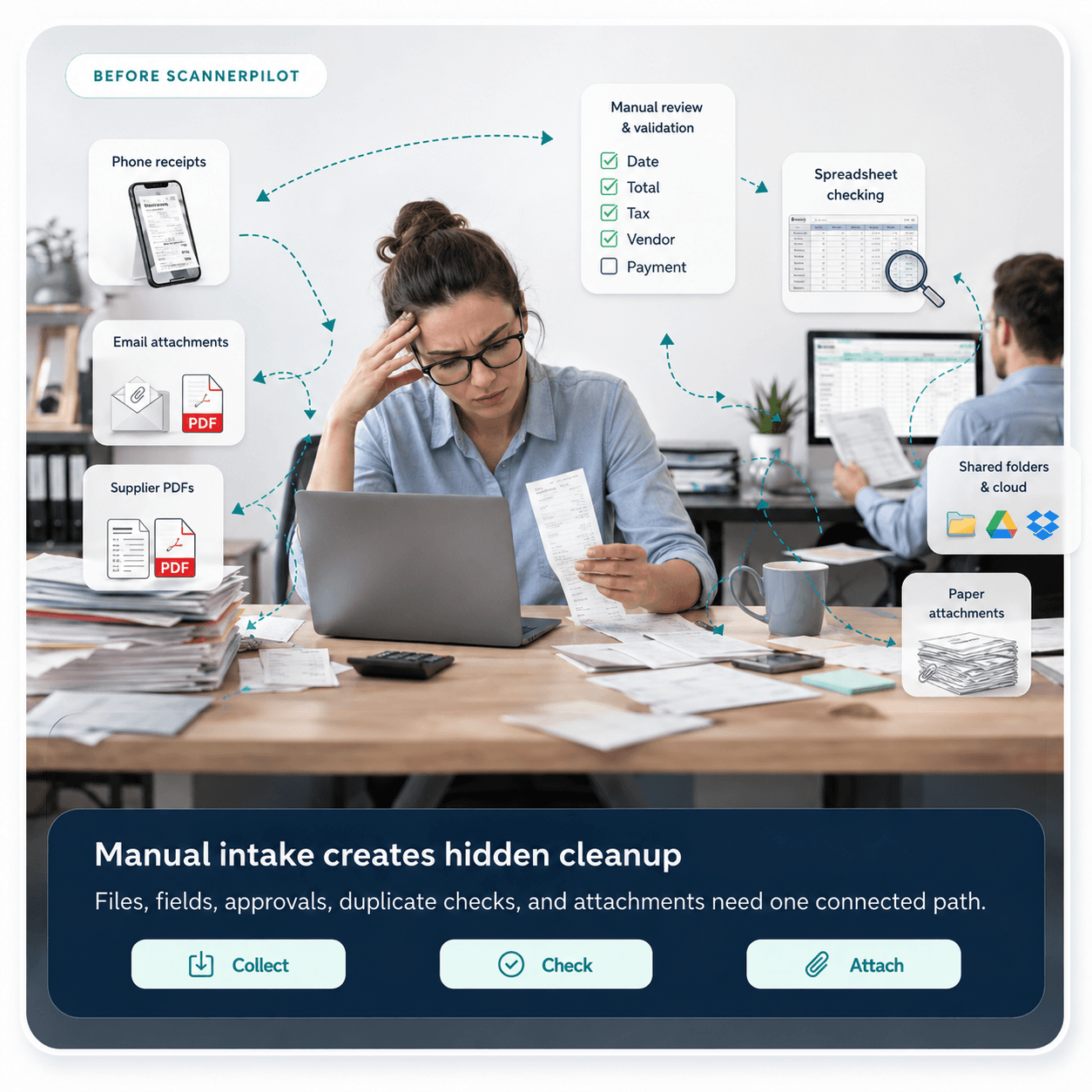
Receipts sit in phones, supplier PDFs land in email, and client files get buried in shared folders.

Upload a PDF or photo. ScannerPilot reads the details, flags possible duplicates, and gives you a clean record to review before it goes into QuickBooks Online.
ScannerPilot is built for the messy accounting work that happens before QuickBooks entries are ready: collection, extraction, review, approvals, and attachments.
Receipts sit in phones, supplier PDFs land in email, and client files get buried in shared folders.
Teams spend hours checking dates, totals, tax, vendor names, and whether a bill was already entered.
Accounting entries are created without the original PDF or receipt staying connected for later review.
Unreviewed OCR results can create cleanup work when exceptions and confidence checks are not visible.
ScannerPilot turns receipts, invoices, and statements into accurate, review-ready data so your team can save time and close the books with confidence.
Receipts, bills, invoices, and bank statements.
Smart checks catch duplicates and field errors.

Create bills or expenses only after approval.
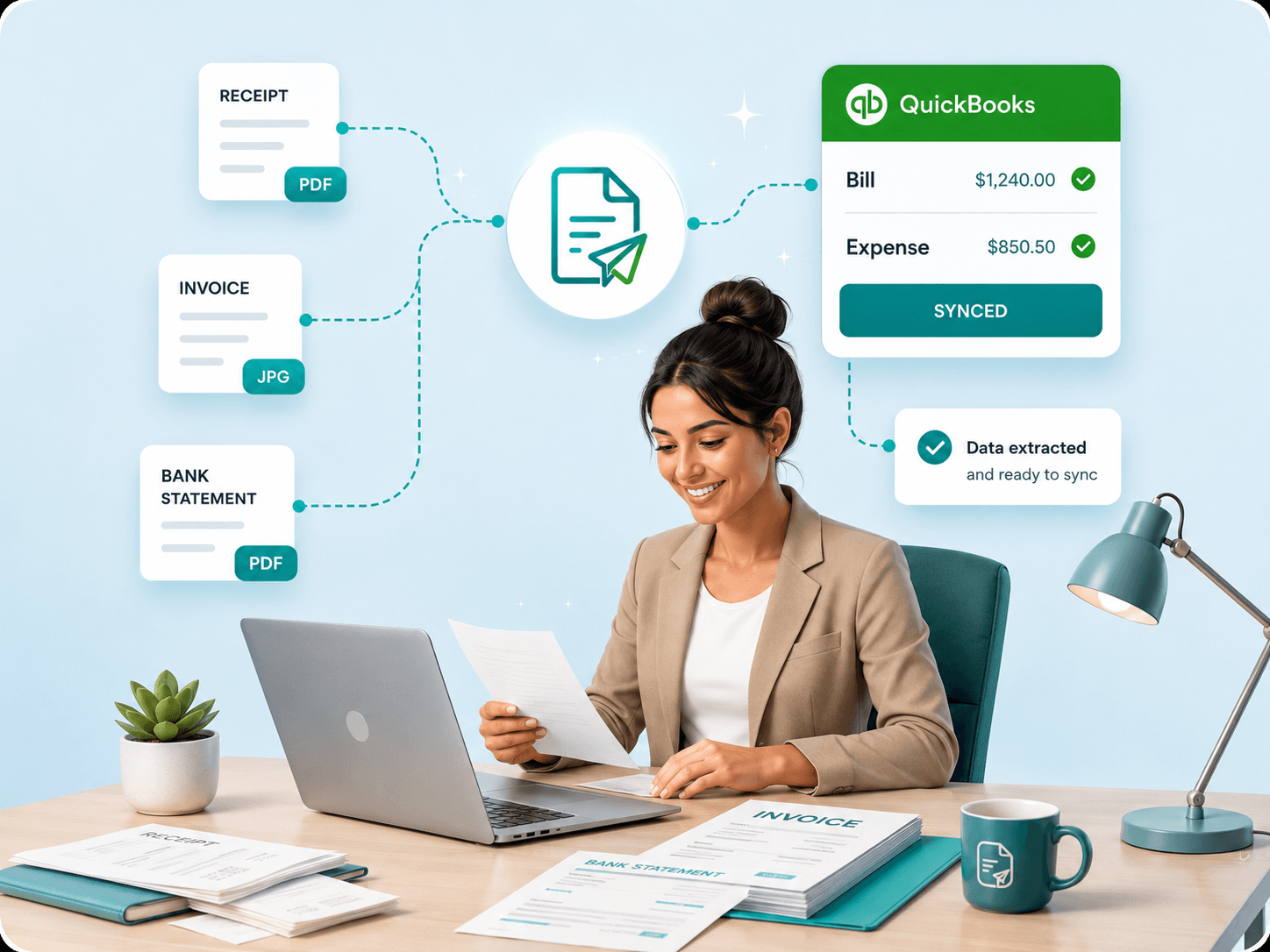
The workflow keeps automation useful without letting unreviewed OCR results create accounting entries.
Add bills, receipts, supplier PDFs, and batches to the correct client workspace.
Files stay attached to the record
From OCR to duplicate detection, ScannerPilot handles document complexity so your team can focus on review and sync.
Extract and structure invoice, bill, and receipt data with review-ready accuracy.
AI-assisted matching flags likely repeat bills before they reach QuickBooks Online.
Resolve exceptions with comments, approvals, and context beside the source file.
Create a reviewed Bill or Expense with source attachment and sync status.
Turn messy bills and receipts into reviewed records ready for QuickBooks sync.
Drop supplier PDFs, receipt photos, and bill batches into the right workspace so nothing is stranded in email, phones, or shared folders.
Right file, right client
Process complete batches
Keep the original linked
Human review stays in control
Check vendor, date, tax, totals, line items, confidence, and duplicates in one focused screen.
Sync approved records with the right type, mappings, status, and attachment history.
Each client gets separated intake, status filters, integrations, and approval history while the team keeps one operating view.

Built around your team
From receipt OCR to QuickBooks Online sync, ScannerPilot handles the messy document work so each team can focus on the books.
Client bills, receipts, and supplier PDFs move through one monthly review queue.
Owners upload expenses and let ScannerPilot prepare reviewed QuickBooks entries.
Firm teams keep duplicate decisions, approvals, and source attachments visible.
One clean workflow. Shaped for each team.
Teams use ScannerPilot to turn file-heavy review into a visible workflow before anything is synced to QuickBooks Online.
View case studiesTeam feedback
“We can see the source, the extracted fields, the review decision, and the sync status in one place.”
 ScannerPilot customer workflowDocument-heavy bookkeeping team
ScannerPilot keeps access, review, accuracy checks, and document history visible before downstream accounting changes.
Keep source documents connected to extracted fields and approval events.
Separate admin, reviewer, team, and client-facing permissions.
Track upload, extraction, edits, approvals, sync attempts, and attachments.
Use confidence states, duplicate alerts, and required review gates.
Practical details on review, QuickBooks sync, duplicate checks, attachments, and client workspaces.
Answer 01
Yes. Your team reviews the source file beside extracted fields, confidence states, duplicate warnings, and line items before anything is approved for sync.
Built for review-first document workflows
Answer 02
Approved documents can create the right Bill or Expense record with mapped vendor and account references, sync status, and the original file attached.
Built for review-first document workflows
Answer 03
Yes. Each client workspace keeps uploads, review queues, approvals, integrations, and sync history separated while the team works from one operating view.
Built for review-first document workflows
Answer 04
ScannerPilot flags likely duplicates before sync using signals such as vendor, invoice number, date, total, and previous review activity.
Built for review-first document workflows
Answer 05
Teams can collect supplier PDFs, receipt photos, bill batches, email attachments, shared folder files, and mobile submissions into the right workspace.
Built for review-first document workflows
Answer 06
Reviewers can edit fields before approval, and low-confidence values stay visible so automation supports the reviewer instead of bypassing them.
Built for review-first document workflows
Connect your tools, upload files, review extracted data, and sync approved records with the source attached.


 QuickBooks Online